Portfolio
Documenting what I learn - Labs, CTFs, etc.
Network Segmentation
Network Segmentation divides a network into smaller, isolated zones. This is very important for security and performance; however, for our project, it will mainly focus on security rather than performance due to the scope of our network (limited users, etc.).
Our network looks like this currently.
Internet (WAN)
      |
   pfSense
      |
LAN (10.10.10.0/24)
  ├─ Domain Controller (AD / DNS)
  ├─ User Workstations
Everything is contained within LAN, making this network flat, where all devices reside on the same subnet, allowing direct communication. This is very vulnerable to lateral movement attacks. Additionally, it is a bad practice to keep infrastructure (like our Domain Controller) within the same subnet as users.
Separating Infrastructure and Users
So, for our network segmentation, I will keep LAN and treat it as INFRA_NET (network for infrastructure) and add another subnet for users called USER_NET.
To create USER_NET, I used a custom VMnet, which acts like a Virtual Layer-2 Network/Virtual Switch Segment.
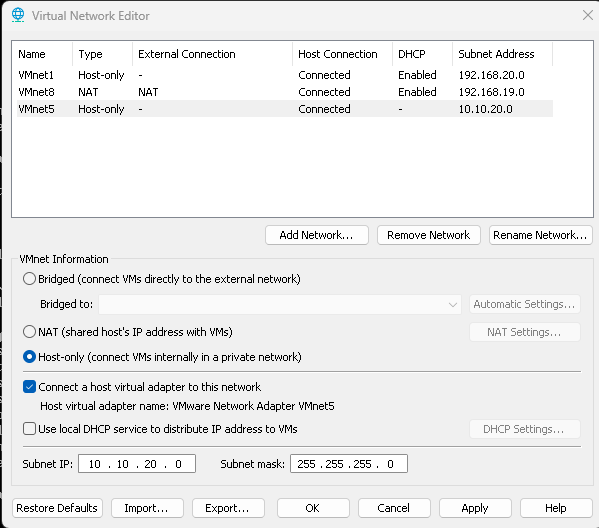
Creating VMnet5 with subnet IP 10.10.20.0, DHCP is turned off as pfSense will be used
Now, we bind the NIC (VMnet5) to pfSense. This is done by adding a new Network Adapter in the pfSense VM’s settings.
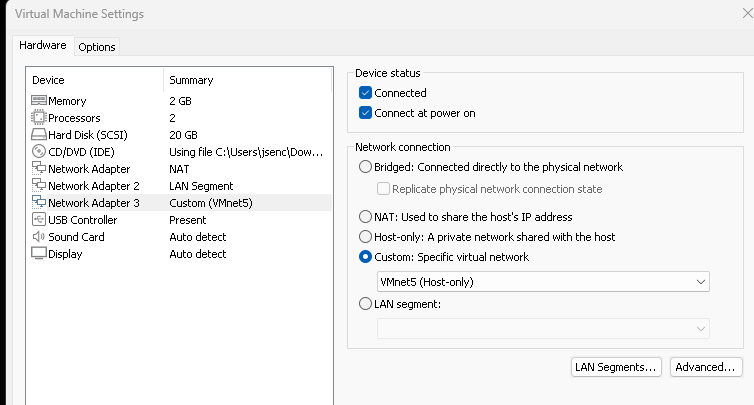
Now that we have added the network adapter, we must assign it an interface in the pfSense console.
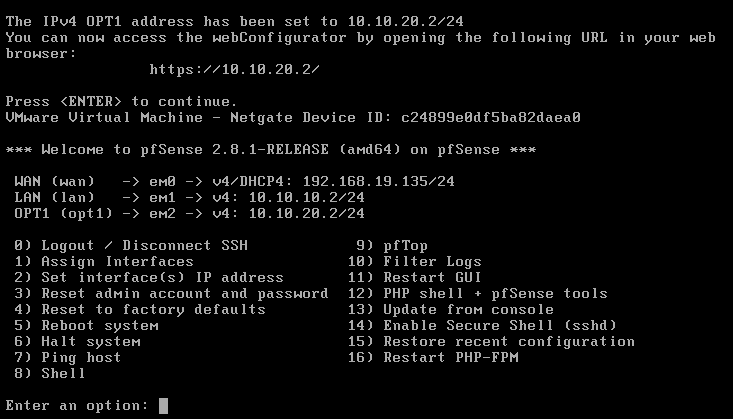
I have assigned VMnet5 to em2 with the interface IP Address being 10.10.20.2/24. DHCP is enabled from 10.10.20.100 to 10.10.20.254 - meaning that when new hosts join this subnet, their IP Address will be automatically assigned in this range.
Now, we have to switch the network adapters for our users, John and Jane, from the LAN segment LAN_NET to VMnet5.
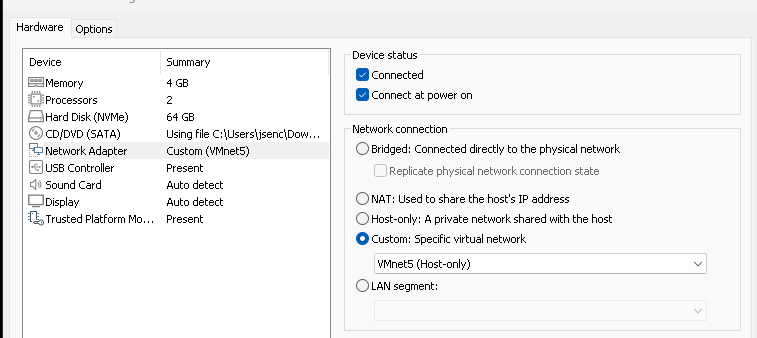
Troubleshooting/Setup for USER_NET
Logging into John’s local administrator account (GPOs were linked, various settings are restricted in the domain account), I noticed that I wasn’t connected to the Internet. I tested this by performing ping and nslookup.
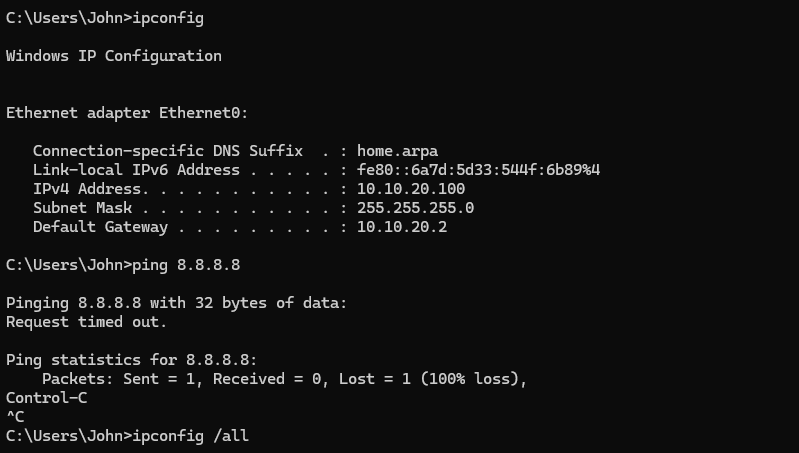
Notice that DHCP worked and we were assigned an IP address within the range indicated
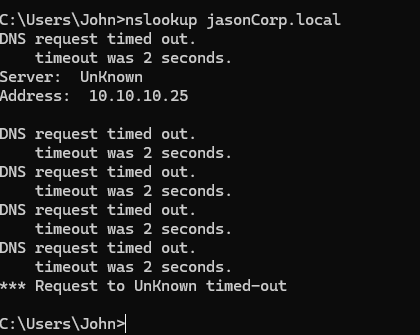
From these results, we know that we cannot reach the Internet (we were unable to ping Google), and that we cannot reach our domain as nslookup jasonCorp.local fails. It knows the address of the DC, but it cannot reach it, and thus DNS queries fail. I performed more pings to confirm that we cannot access our domain.
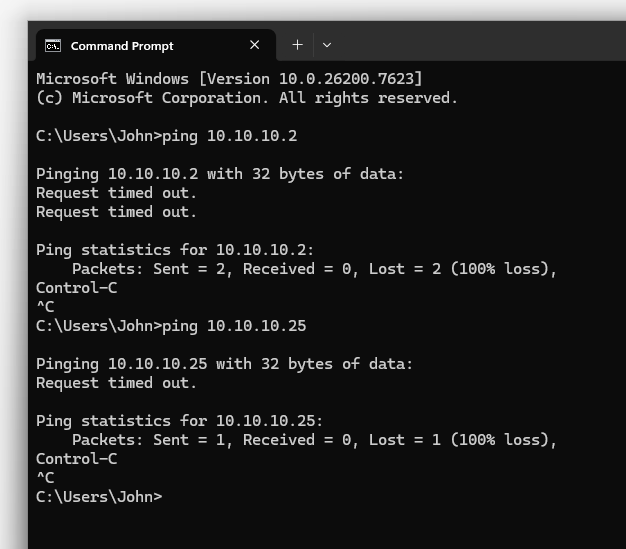
Unable to reach the DC (LAN) and the Internet (WAN) made me believe that there must be something preventing our traffic from leaving USER_NET, and made me realize that firewall rules could definitely cause this.
USER_NET Rules and Routing
I went to the pfSense Web Configurator through the DC VM, changed OPT1 (em2) to be called USER_NET, and then went into Firewall Rules.
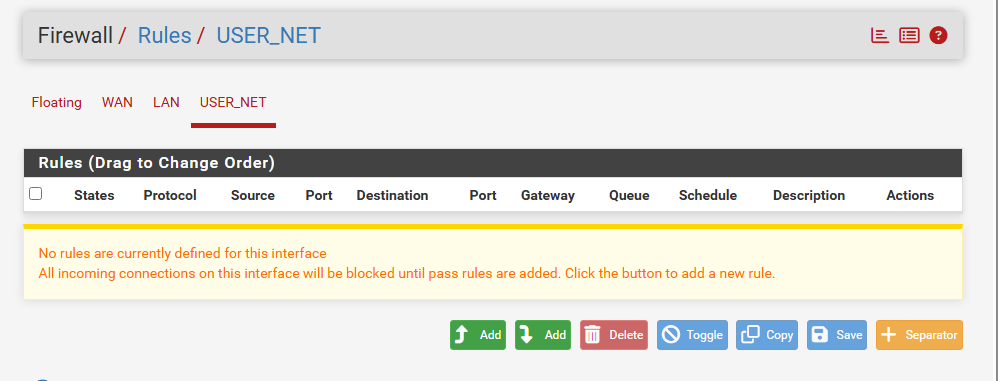
No Default Rules were in place for USER_NET
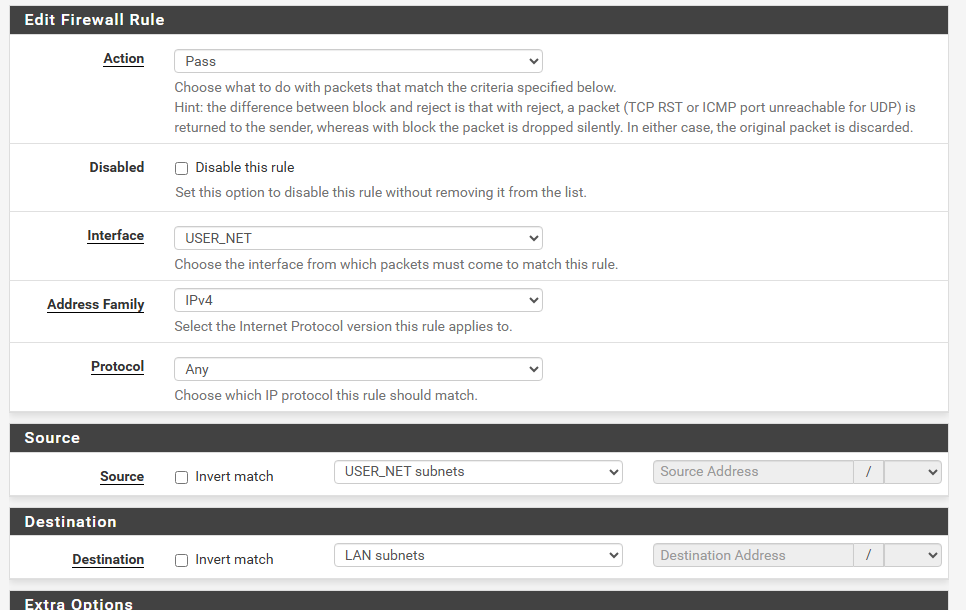
Created a rule that allowed traffic from USER_NET to LAN
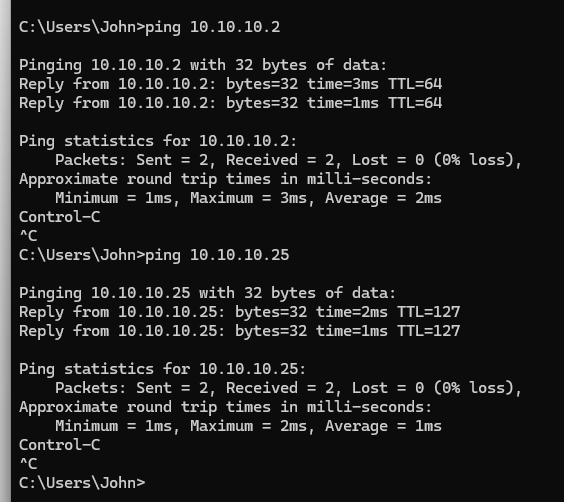
Pinging hosts within LAN (10.10.10.0/24) works now
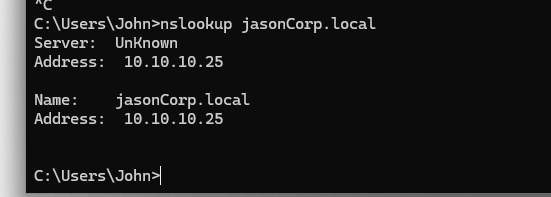
nslookup works -> AD Domain can be reached
However, pinging 8.8.8.8 still fails. This is because the rule that we have made only works for USER_NET -> LAN. We have yet to configure USER_NET -> WAN routing.
We can edit the rule to allow the destination to be ANY, allowing USER_NET to pass traffic to any network. This works, as seen by the image below - pinging 8.8.8.8 now works, but this definitely leaves a few security risks, which I will address in another post on hardening network security.
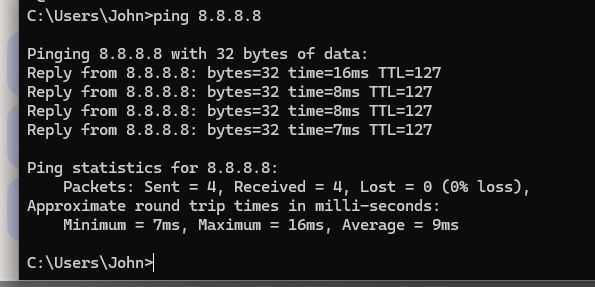
Pinging 8.8.8.8 now works - we are now connected to the Internet
Summary
Segmented our original flat network by separating infrastructure and users. Domain Users are now in USER_NET (10.10.20.0/24), while infrastructure (DC Server) is in LAN (10.10.10.0/24). Ran into issues with outbound traffic from USER_NET, which was resolved by creating a Firewall Rule that allowed traffic from USER_NET to the LAN and WAN.
After Segmentation: Network Topography

Internet (WAN)
      |
   pfSense
   /      \
LAN        USER_NET
(Infra)    (Users)
10.10.10.0/24   10.10.20.0/24

LAN:
  └─ Domain Controller (AD / DNS)

USER_NET:
  └─ Domain Users